
Pricing and discounts
What discount can this rep give? Answered before the quote goes out.
Set your discount approval rules once and every quote and order follows them. Reps know straight away what they can offer, and only the real exceptions reach a manager.
Incoming request
evaluatingCan Tom give 18% off this quote?
- Look up the customer's pricing tier in the Customer tiers lookup table
- Look up the rep's discount limit for that tier in the Discount limits lookup table: reps up to 15% on Gold
- If the discount is within the rep's limit, approve it
- If it is above the rep's limit, route it to the sales manager for approval
Answer, with the reason
Route to the sales manager. 18% is above Tom's 15% limit for Gold tier customers, so the quote goes to the sales manager with the reason attached. At 15% or less, Tom could have sent it straight away.
Sound familiar?
The quote stuck in someone's inbox
The customer wants a price today. The rep wants to win the deal. The margin wants someone to check.
"Let me check with my manager and come back to you"
A rep cannot confirm a discount on the call, so the quote waits on an email. By the time the answer arrives, the customer has spoken to a competitor.
"How come they got 20% and we only got 12%?"
Two customers in the same tier get different prices because different reps negotiated them. Now the second customer wants the same deal.
"Who approved this price?"
A low-margin order comes to light at the month-end review. There is no record of who agreed the discount or whether they could.
The quiet cost
What loose discounting costs
- Margin leaks away through discounts nobody was meant to give.
- Deals stall while reps wait for sign-off on routine requests.
- Customers in the same tier notice they are paying different prices.
- Managers spend their day approving discounts that fall inside the rules anyway.
Before and after
From email chains to a clear answer on every quote
Today
- Discount limits live in a price list and people's heads
- Every non-standard discount is an email to a manager
- Customers in the same tier get different prices
- No record of who agreed a discount or why
With Condexa
- Price bands and discount limits held in lookup tables sales ops owns
- Discounts within the limit are approved on the spot
- The same customer pricing tiers applied to every quote
- Every discount answer recorded with the rule that allowed it
How you get there
How discounting becomes consistent
- 1
A discount matrix everyone can see
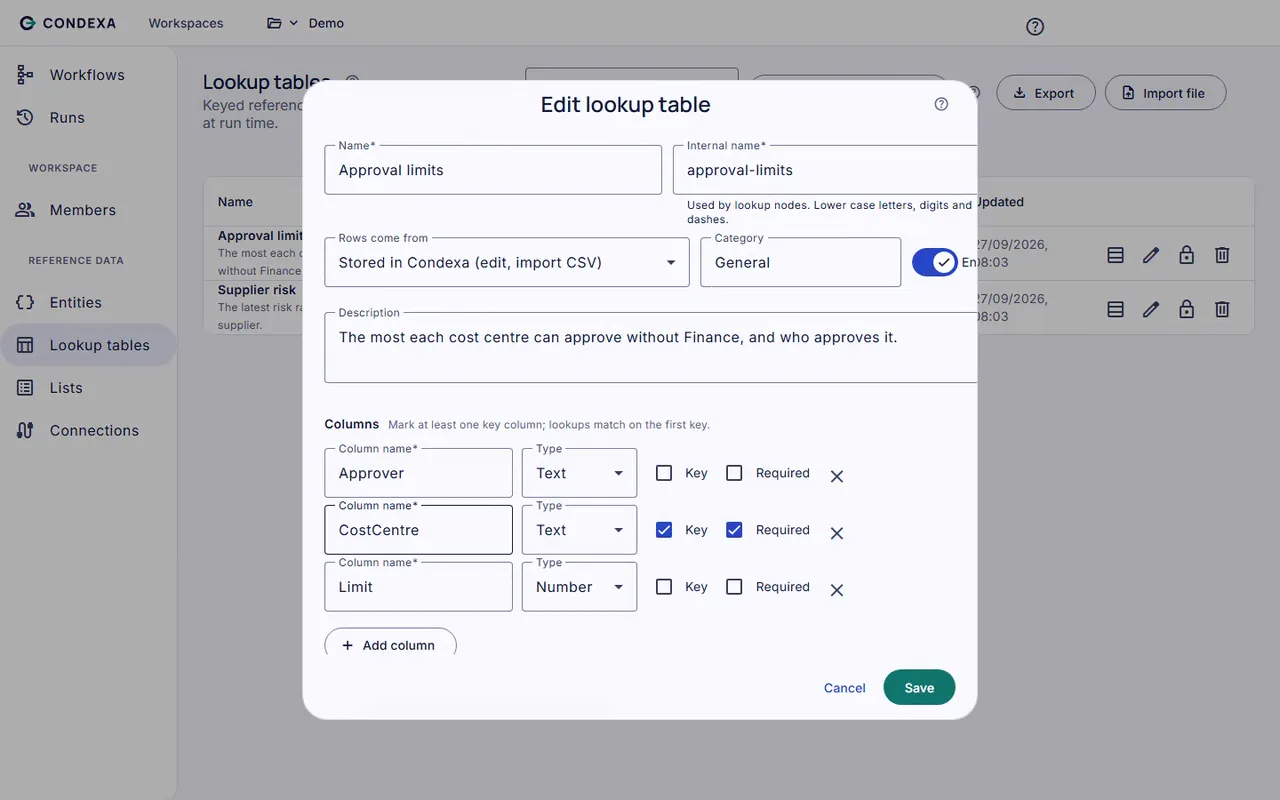
Keep customer pricing tiers and discount limits by role in lookup tables. Sales ops updates them when the policy changes, without waiting for IT.
- 2
Confidence it protects the margin
Test quotes you have already priced and read the trace. You see exactly which tier and limit applied, before a single live quote relies on it.
- 3
An answer inside the quote screen
Your CRM or ERP asks the decision as the rep enters the discount. They know at once whether it is allowed or who needs to approve it.
A worked example
Example: an 18% discount on a Gold tier quote
Tom, a field sales rep, is quoting £12,000 of stock to a Gold tier customer and wants to offer 18% off list to close the deal this week.
The rules, in plain English
- R1Look up the customer's pricing tier in the Customer tiers lookup table
- R2Look up the rep's discount limit for that tier in the Discount limits lookup table: reps up to 15% on Gold
- R3If the discount is within the rep's limit, approve it
- R4If it is above the rep's limit, route it to the sales manager for approval
Condexa answers
Route to the sales manager. 18% is above Tom's 15% limit for Gold tier customers, so the quote goes to the sales manager with the reason attached. At 15% or less, Tom could have sent it straight away.
FAQ
Questions people ask
What are discount approval rules?
Discount approval rules set how much discount each person can give, often by customer tier, product group or deal size, and who must approve anything larger. They protect margin while letting sales move quickly on routine deals.
What is a discount approval matrix?
A discount approval matrix is a table of who can approve which level of discount. For example, a rep might give up to 10%, a sales manager up to 20% and a director anything above. In Condexa the matrix sits in a lookup table the business can update.
How do you set up customer pricing tiers?
Group customers by value, volume or relationship, and give each tier its own price bands and discount limits. Keep the tiers in a lookup table so a change in policy is one edit, not a round of emails to the sales team.
Can Condexa work inside our CRM or quoting tool?
Yes, as long as the tool can make a web request. Your CRM, ERP or a Power Apps screen sends the quote details to Condexa over a REST API and gets back whether the discount is allowed and who must approve it.
Does Condexa replace our CPQ system?
No. Condexa decides whether a price or discount is allowed and who approves it. Your CPQ, CRM or ERP keeps building the quote and asks Condexa for the decision.
Keep exploring
Related decisions and guides
Problems
Hard-coded business rules
Every threshold change is a dev ticket and a release. Move the rules out of the code and back to the people who own them.
Read moreFeatures
Lookup tables
Every limit change is a dev ticket? Put thresholds and bands in tables your business team edits and publishes.
Read moreIndustries
Wholesale and trade
Every branch and rep prices a little differently. Apply trade credit and discount limits the same way, everywhere.
Read moreIntegrations
REST API
Your app needs an answer, not another rules module to maintain. Send the facts, get the decision back as JSON.
Read moreSee your discount rules answer a live quote
Bring a decision your team makes every week. We will build it with you, live, test it against your own examples and show your systems calling it.
No slides. Your decision, built live. No obligation.