
Spreadsheet decision logic
Your spreadsheet should not be making decisions
When you replace spreadsheet decision logic with a tested, versioned decision, your approval matrix and credit rules stop living in a file someone emails round. Your systems ask for the answer and get the same one every time.
Incoming request
evaluatingWhich version of the approval matrix is the real one?
- Look up the starting limit for the customer's trading years in the Credit bands lookup table
- Customers with a trading history under 2 years start at a limit of £2,000
- If the requested limit is above the band, send it to the credit controller
- If the customer's country is on the Restricted countries list, decline
Answer, with the reason
A four-year-old customer asking for £8,000 is approved up to the band limit straight away. A request above the band goes to the credit controller, and the trace shows exactly which band and which rule applied.
Sound familiar?
The file everyone is scared to open
It started as a quick way to keep track of limits. Now half the business relies on it.
"Approval matrix FINAL v3 (2).xlsx"
There are three copies on the shared drive and one in someone's inbox. Nobody is quite sure which one the team used this morning.
"Only Sarah understands the formulas"
Nested IFs, hidden columns and a VLOOKUP into another workbook. When Sarah is on holiday, credit decisions slow down or get made on gut feel.
"Someone has to copy the answer into the ERP"
The spreadsheet gives a result, then a person types it into the system by hand. Every re-key is a chance to get it wrong, and nothing links the two.
The quiet cost
What the spreadsheet is really costing
- A broken formula can give wrong answers for weeks before anyone notices.
- There is no record of who changed a limit, when, or why.
- Decisions wait for the one person who can run the file.
- When audit asks why an order was approved, all you can show them is today's version of the sheet.
Before and after
From a fragile file to a decision your systems call
Today
- Several copies of the same workbook, none of them clearly current
- Formulas only one person can safely edit
- Answers re-keyed by hand into the ERP or CRM
- No history of what the sheet said on a given day
With Condexa
- One active version, with drafts and earlier versions kept alongside
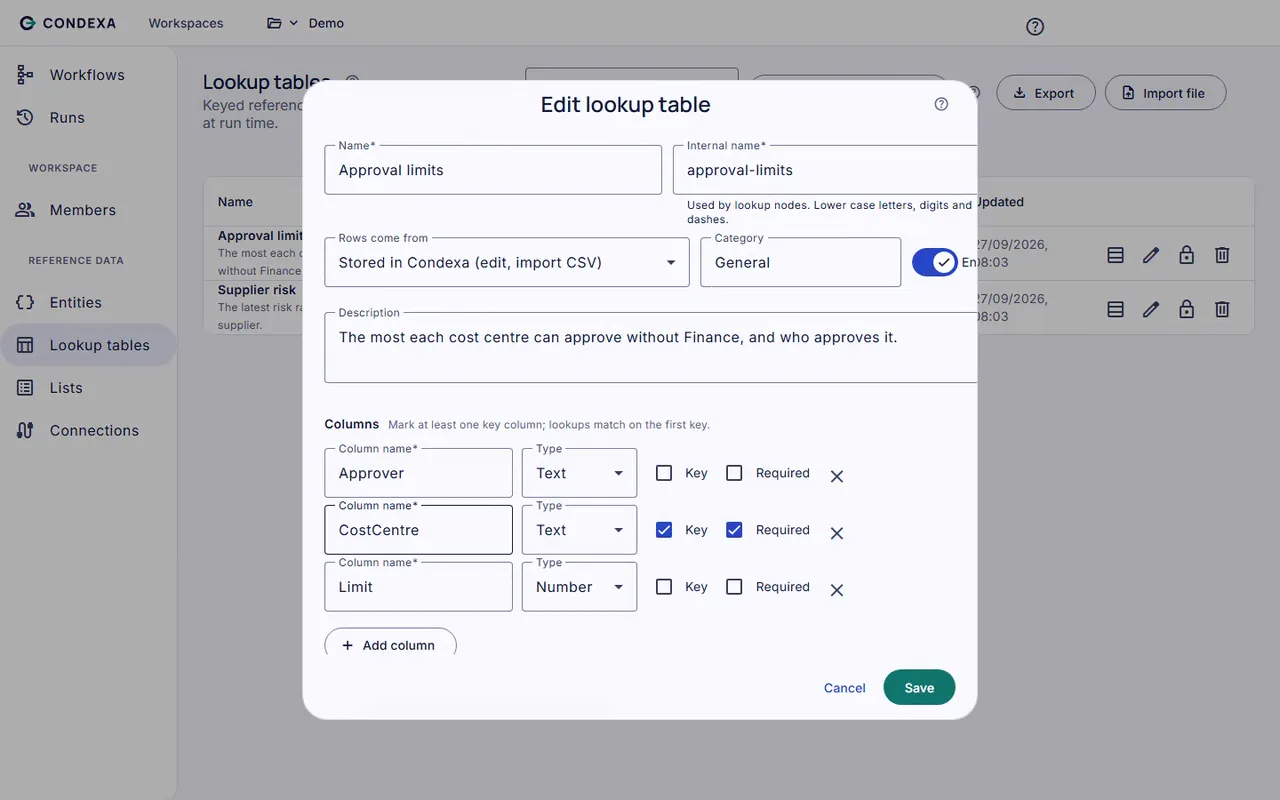
- Steps and lookup tables the whole team can read and maintain
- Your systems ask for the answer directly over an API
- Every call recorded with its inputs, outputs and the version used
How you get there
How the spreadsheet becomes a decision
- 1
Keep the tables you already trust
Import your limits and bands into lookup tables and lists that your team owns. The numbers stay familiar; they just stop being tangled up in formulas.
- 2
Check it against the old answers
Run real cases through the new decision and compare them with what the spreadsheet said. The trace shows each lookup and value, so any difference is easy to spot.
- 3
Retire the file for good
Publish the decision and let your ERP, CRM or Power Apps call it directly. No more copying answers across, and no more wondering which file was used.
A worked example
Example: a credit limit matrix that used to live in Excel
A wholesaler's credit team used a workbook to decide new account limits. The sales team had to email the credit controller for every new customer and wait for a reply.
The rules, in plain English
- R1Look up the starting limit for the customer's trading years in the Credit bands lookup table
- R2Customers with a trading history under 2 years start at a limit of £2,000
- R3If the requested limit is above the band, send it to the credit controller
- R4If the customer's country is on the Restricted countries list, decline
Condexa answers
A four-year-old customer asking for £8,000 is approved up to the band limit straight away. A request above the band goes to the credit controller, and the trace shows exactly which band and which rule applied.
Side by side
Spreadsheet rules vs Condexa
| Aspect | Spreadsheet | Condexa |
|---|---|---|
| Which version is live | Whichever file was opened last | One active version, clearly marked |
| Who can change it safely | The person who built the formulas | Anyone with the right role in the workspace |
| Testing a change | Edit and hope | Run test cases and read the full trace first |
| Getting the answer into your systems | Copied or re-keyed by hand | Called by the ERP or CRM in milliseconds |
| History of changes | File names and memory | Draft, active and earlier versions kept |
| Explaining a past answer | Not possible once the sheet has changed | Every call recorded with its inputs and trace |
| Reference data | Hidden tabs and links to other workbooks | Lookup tables and lists, importable from files |
FAQ
Questions people ask
What are the risks of using Excel for business decisions?
Spreadsheets break quietly: a formula gets overwritten, a range stops short, or someone uses an old copy. There is usually no change history and no link to the systems that act on the answer, so errors can run for weeks before anyone notices.
How do I replace an Excel approval matrix?
Move the limits into a lookup table, write the approval steps as a decision, and test it against real past cases. Once the answers match, publish it and have your ERP or approval tool ask the decision instead of a person checking the sheet.
Can I import my existing spreadsheet data into Condexa?
Yes. Lookup tables can be imported from and exported to files, so your existing limits, bands and lists come across without being retyped. Lookup tables can also read live from SQL Server or Dataverse if the data already lives there.
Is a rules engine better than a spreadsheet?
For decisions your systems act on, yes. A rules engine gives you one live version, a record of every change and every answer, and an API your applications can call. Spreadsheets remain handy for one-off analysis.
What is spreadsheet key person risk?
It is the risk that only one person understands how a critical workbook works. If they are away or leave, decisions slow down or get made inconsistently. Writing the logic down as a readable, tested decision removes that dependency.
Keep exploring
Related decisions and guides
Compare
Condexa vs spreadsheets
The approval matrix lives in Excel and only Sarah understands it. Compare that with tested, versioned decisions.
Read moreFeatures
Lookup tables
Every limit change is a dev ticket? Put thresholds and bands in tables your business team edits and publishes.
Read moreProblems
Tribal knowledge
When only one person knows how a decision gets made, every holiday and every resignation is a risk.
Read moreUse cases
Credit decisions
Decide who gets credit, and how much, the same way every time, without waiting for the one person who knows the rules.
Read moreGlossary
What is an approval matrix?
An approval matrix is a table that sets out who can approve which kinds of spend, commitment or exception, and up to what limit.
Read moreBring the spreadsheet. We will show you the decision.
Bring a decision your team makes every week. We will build it with you, live, test it against your own examples and show your systems calling it.
No slides. Your decision, built live. No obligation.